Your professional supplier of electronic switches, sockets, and connectors!


How to make a battery holder using a battery packaging box?
Aug 15,2022
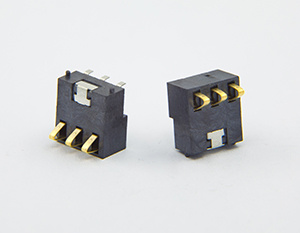
How to make a battery holder using a battery packaging box?
Battery holder It is made of battery packaging paper and two pieces of iron. Although the production cost is simple, it is very practical. This article provides an idea for friends who like small productions. So, how to make Battery holder ?
How to make a battery holder using a battery packaging box?
Specific production steps are as follows:
1. Prepare the necessary materials: a battery with packaging paper, and two pieces of iron.
2. Make the iron pieces into two spring pieces, as Battery holder two electrodes.
3. Take the battery out of the battery box and install the prepared electrodes into the battery box.
4. Adjust the thickness of the spring pieces so that they fit snugly against the battery box for easy battery installation.
5. Put the battery into the battery box and see if it is suitable, then make further adjustments.
6. Install two wires to the battery box. Simply use alligator clips to clamp the two wires to the two electrodes, or directly solder the wires to the two iron pieces.
7. Test whether the Battery holder works normally, troubleshoot, and the production is complete.
What is the role of the battery holder in button batteries?
1. Used to load button batteries, Battery holder usually on a PCB, to power electrical equipment.
2. Easy to disassemble. Button batteries have low power consumption, so replacement is a common workflow. For disassembly, Battery holder the design difficulty determines the difficulty of disassembly.
3. Fixed structure, button battery on the PCB. To cope with impact and vibration, Battery holder should not be used as a fixed structure to reduce physical damage to the button battery.
in button batteries Battery holder have multiple functions. In fact, Battery holder is closely related to button batteries. Sometimes when we buy batteries, we also consider the specifications of button batteries, which makes it easier for us to replace and use them.
How to install a button battery holder?
1. The CMOS battery on the computer motherboard generally uses a CR2032 button battery;
2. The installation method basically follows the same principle, that is, the positive side with letters facing up;
3. During installation, place the positive electrode with the letters facing up into the [battery compartment] and press it into the battery compartment.
4. On the other side of the button battery, the negative electrode is connected to the spring, and on the other protruding side, the positive electrode is connected to the protruding side.
What is the usage of the button battery holder?
1. After the positive and negative electrodes of the button battery containing electrolyte are closed, place the positive electrode down and the negative electrode up horizontally in the groove of the lower mold battery;
2. Tighten the unloading valve clockwise (about 180 degrees), avoid over-rotation;
3. Confirm that the button battery to be packaged is in place, and check whether there are any tolerances or other obstacles around the mold. After checking, shake the rocker up and down until the button battery pressure gauge pointer points to 30kg-50kg/cm2 (pressure gauge outer circle reading). For safety reasons, the upper limit of this value has been preset before leaving the factory. If special circumstances require adjustment, please contact the manufacturer. The pressure gauge is in place to complete the sealing, no need to repeatedly pressurize. Repeated pressurization will shorten the service life of the 3v battery hydraulic structure;
4. After rotating the oil unloading valve counterclockwise by about 180 degrees, the mold will automatically open and return to its original position, and remove the upper mold of the package;
5. Please use special tools when disassembling the mold.

Contact Us
Email:
sales02@jbl-hk.com
sales03@jbl-hk.com
Tel/WeChat:
86769-83339091 / 83339095
Address:No. 5, Xinhuan Road, Langbei Village, Changping Town, Dongguan City, Guangdong Province

Address: No. 5, Xinhuan Road, Langbei Village, Changping Town, Dongguan City, Guangdong Province
Tel: 86769-83339091 / 83339095
Tel: 86769-83984933 / 83984936
Fax: 86769-83984949
Email: sales02@jbl-hk.com / sales03@jbl-hk.com
Email: sales08@jbl-hk.com / sales9@jbl-hk.com
Contact Us

Miss Wang

Mr. Zeng


